
Insert PatternExplorer Tools
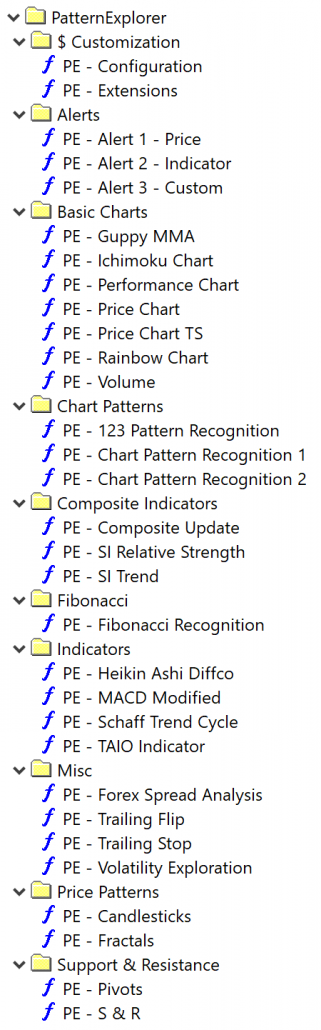
AmiBroker supports three ways to insert indicators as listed below. To learn more about adding indicators in AmiBroker, please visit the AmiBroker help.
A) Insert
Inserts selected indicator into new chart pane.
Insert command internally creates a copy of the original formula file and places such copy into hidden drag-drop folder so that the original formula is not affected by subsequent editing. Double-clicking on formula name is equivalent to choosing Insert command from the menu. These copies aren’t updated automatically through the PatternExplorer setup. You need to Insert them again when you install a PatternExplorer update.
B) Insert Linked
Inserts selected indicator into new chart pane directly
Insert Linked command does not create any copy of the formula. Instead, it creates a new chart that directly links to the original formula. This way subsequent editing and overlaying other indicators modifies the original code. Insert Linked makes it possible to update all your PatternExplorer indicators automatically through a PatternExplorer update.
C) Overlay
Overlay selected indicator onto selected chart pane.
Overlay command internally appends additional code to the formula used by the chart. If the given chart were created using Insert Linked, it would modify the original (linked) formula.